
About two weeks ago, Apple released the first beta of iOS 17.2, a software update with numerous new features and improvements for iPhones, to developers and public beta testers. We've selected ten of these updates and features below.
.png "Your iPhone Will Get These 10 New Features with iOS 17.2") |
| Your iPhone Will Get These 10 New Features with iOS 17.2 |
The public is anticipated to receive iOS 17.2 in December.
Journal App.
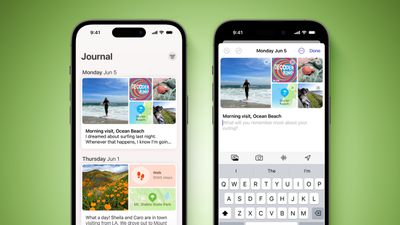
With text, images, audio recordings, music, and more, iPhone users may reminisce about their day and experiences with Apple's new Journal app. Personalized recommendations are given by the app based on recent activities on the device.
Translate Option for Action Button
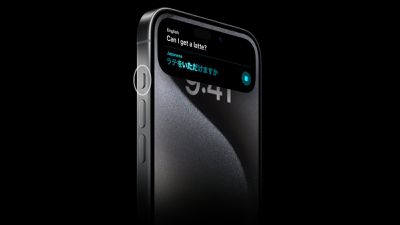
The customisable Action button on the iPhone 15 Pro and iPhone 15 Pro Max takes the place of the conventional mute switch found on earlier iPhone models. The button can be configured to perform a particular activity, such as quickly accessing the voice memos, camera, flashlight, or other functions. By default, it is programmed to switch between the Ring and Silent modes.
With iOS 17.2, the Translate app can now be assigned the Action button, providing instant access to language translation within the Dynamic Island.
New Widgets
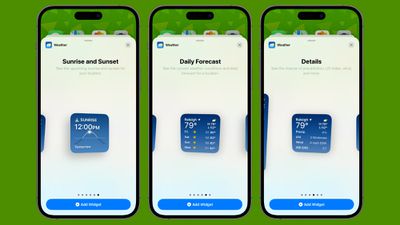
On iOS 17.2, there are new widget options for the Weather and Clock apps on the Home Screen and Lock Screen. The Clock app now has a digital clock widget, and the new Weather options include Sunrise and Sunset in addition to the Daily Forecast.
Apple Music: Collaborative Playlists
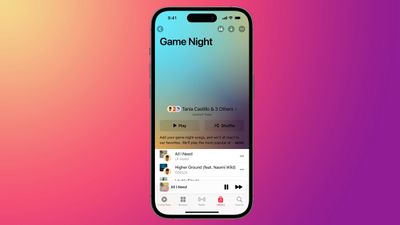
A shared playlist can have songs added, removed, and rearranged by numerous users thanks to Apple Music's new Collaborative Playlists feature.
Apple Music: Favorite Songs Playlist
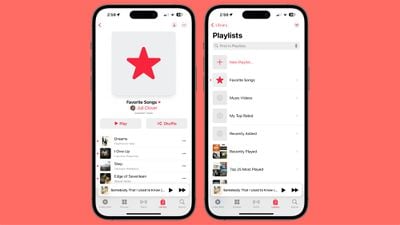
On iOS 17.1 and later, you can select your favorite songs in the Music app by tapping the star icon to get better suggestions.
Favorite tracks are now included in a new Favorite tracks playlist as of iOS 17.2.
Apple Music: Focus Filter for Listening History
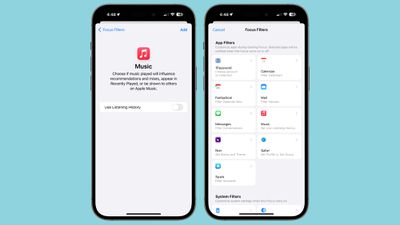
Are you fed up with your children or other intruders manipulating your Apple Music suggestions when they use your iPhone as a loaner? For Apple Music listening history, iOS 17.2 introduces a new Focus filter to solve this issue. You will not be affected by the song selections of other people while this filter is enabled.
iMessage: Verify Contact Key
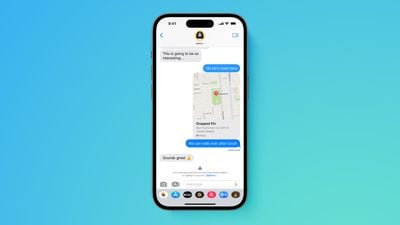
With the help of iMessage Contact Key Verification, users can confirm that they are only contacting the intended recipients—a feature that is especially helpful for those who deal with "extraordinary digital threats," such government officials, lawyers, and journalists. When users who have activated iMessage Contact Key Verification hold a discussion, consumers are warned in the unlikely event that a state-sponsored attacker or other malevolent actor manages to penetrate cloud servers and insert their own device to listen in.
Users using iMessage Contact Key Verification can further confirm they are speaking exclusively with the people they plan to speak with by comparing a Contact Verification Code in person, on FaceTime, or over another secure call.
iMessage Contact Key Verification was first shown off by Apple in December 2022, and iOS 17.2 will eventually have it.
iMessage: Tapback Menu for Sticker Reactions
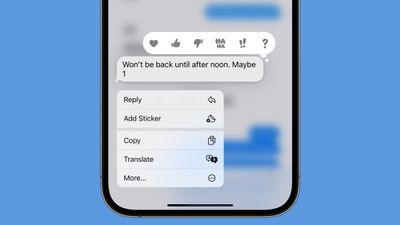
With iOS 17.2, you may hit "Add Sticker" in the Tapback menu of the Messages app to swiftly respond to a message with any sticker.
Memoji: Additional Personalization Choices
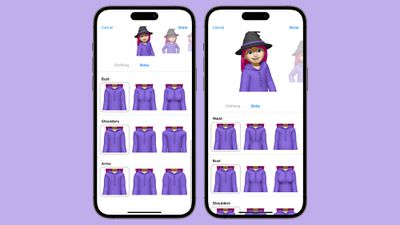
Apple gave Memoji customers access to a "Body" section where they could alter the arms, shoulders, waist, and bust of their Memoji figures.
Posters for Contact: Rainbow Text
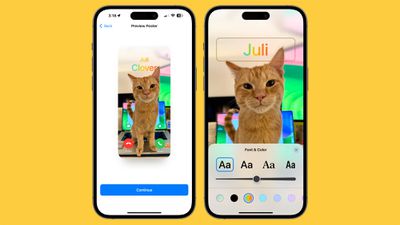
When creating a Contact Poster in the Contacts app, you can choose to have your name shown in a rainbow of colors as of iOS 17.2.